
Claude Code
Claude CodeClaudeChatGPT

클로드 코드 - 비개발자편

참고자료

Claude Code 자료 모음

Claude Code 공식 문서

설치, 기본 개념, 공식 기능을 확인하는 첫 출발점입니다.

Best Practices

Claude Code를 안정적으로 쓰기 위한 공식 권장 흐름입니다.

CLAUDE.md와 메모리

루트 CLAUDE.md처럼 Claude에 프로젝트 규칙을 전달하는 공식 방식입니다.

How I Use Claude Code

실무자가 Claude Code를 작업 흐름에 붙이는 방식을 볼 수 있습니다.

Claude Code Changelog

Claude Code의 최신 기능, 개선, 버그 수정 흐름을 확인합니다.

간단한 Git 알아보기 - 생활코딩

Claude Code와 ChatGPT 작업 전후 저장 지점을 이해하기 위한 Git 입문 자료입니다.

새소식

New
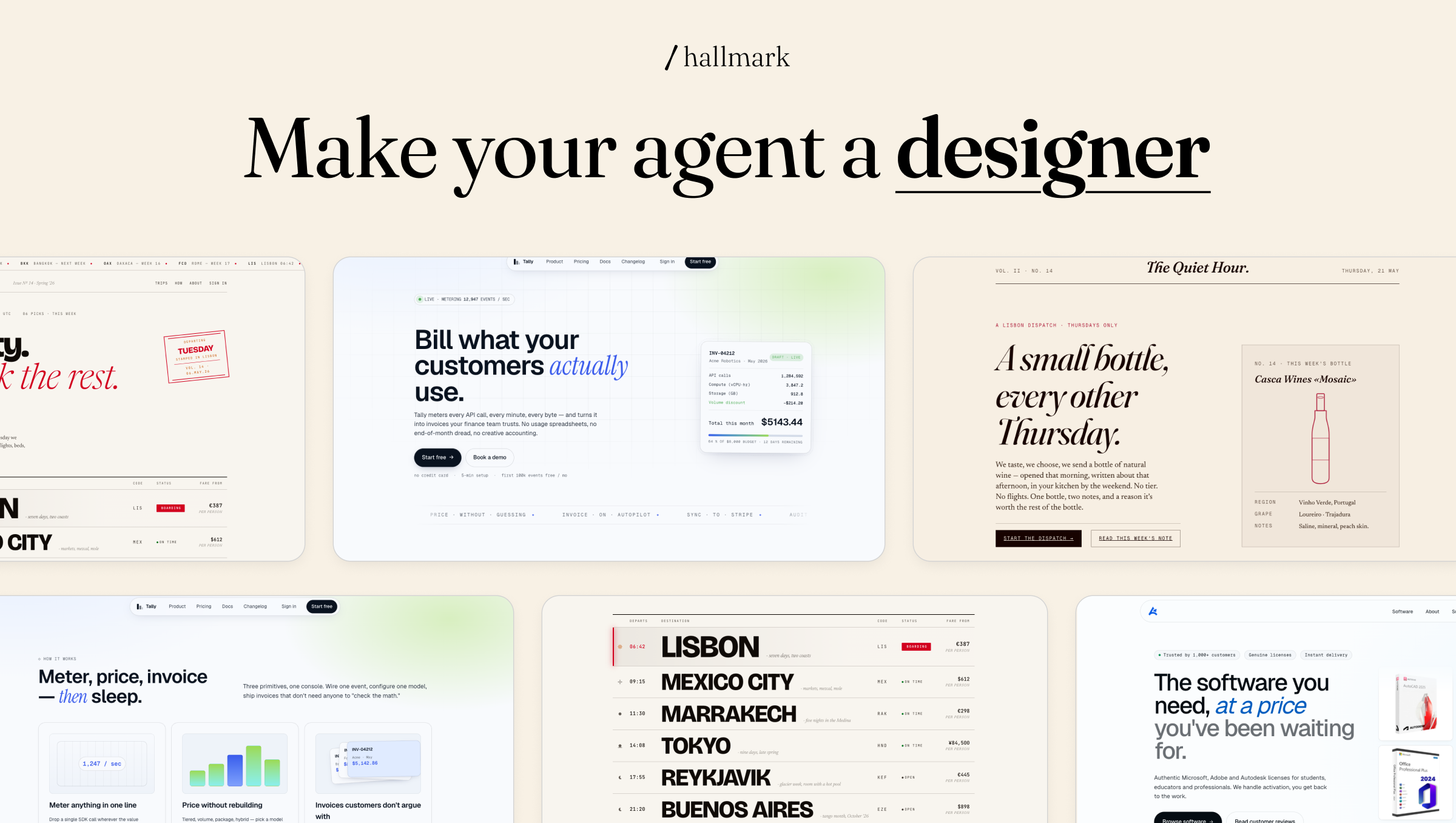
AI 코딩 에이전트의 화면을 디자이너의 기준으로 설계하는 Hallmark

Hallmark는 Claude Code·Cursor·Codex가 만든 웹 화면의 반복 패턴을 점검하는 스킬입니다. 기본 동작과 세 가지 명령의 쓰임, 설치 방법, 테스트 폴더에서 확인할 항목을 정리합니다.

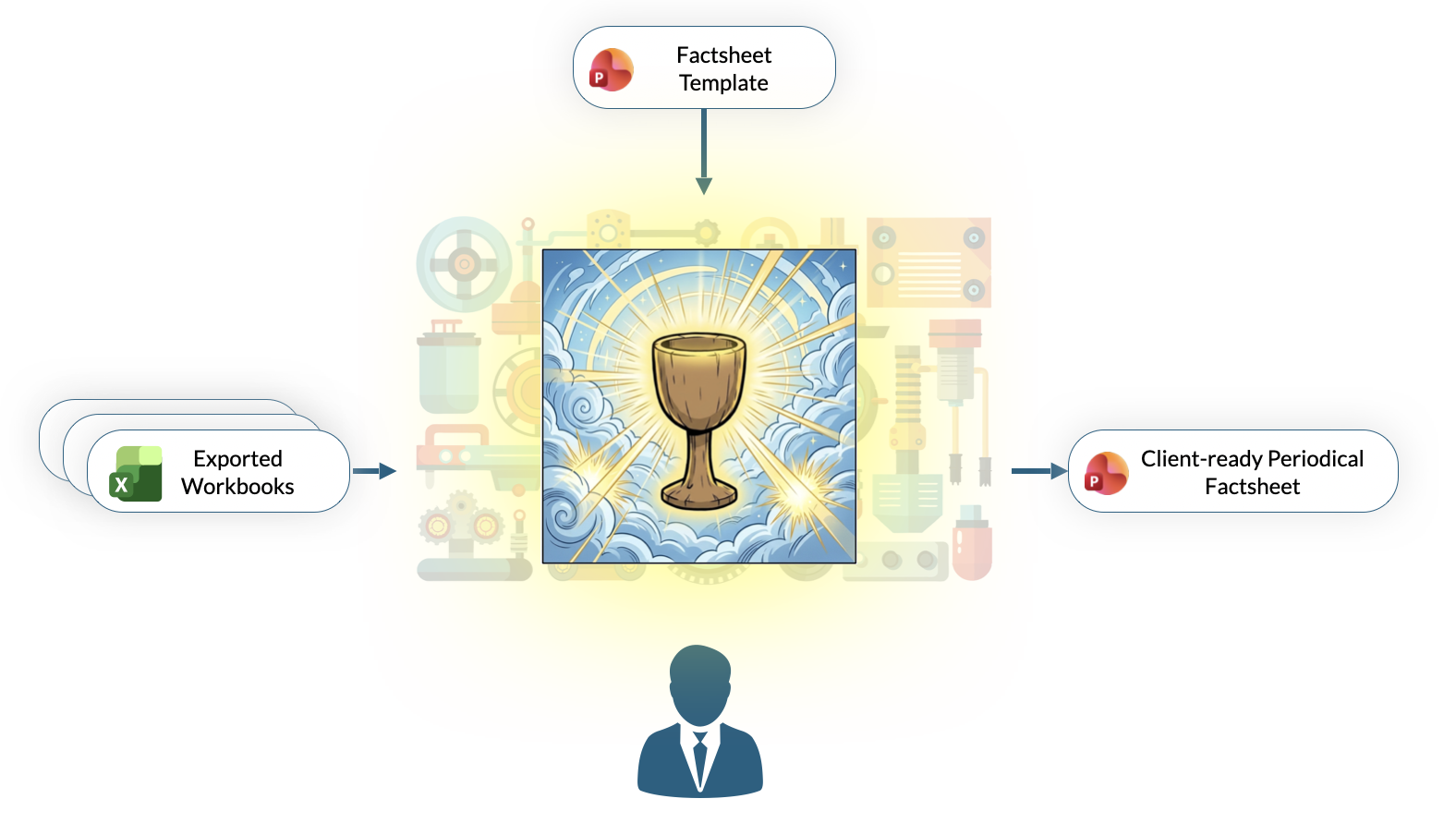
Octigen, 매달 바뀌는 데이터만 넣어 PowerPoint 보고서를 다시 만듭니다

Octigen은 기존 PowerPoint 템플릿과 월별 Excel 파일을 연결해 반복 보고서를 만듭니다. 연결 구조를 만들 때는 AI가 변환 단계를 만들고, 다음 달부터는 같은 규칙으로 데이터를 채워 담당자가 숫자와 문구를 검토하는 흐름입니다.

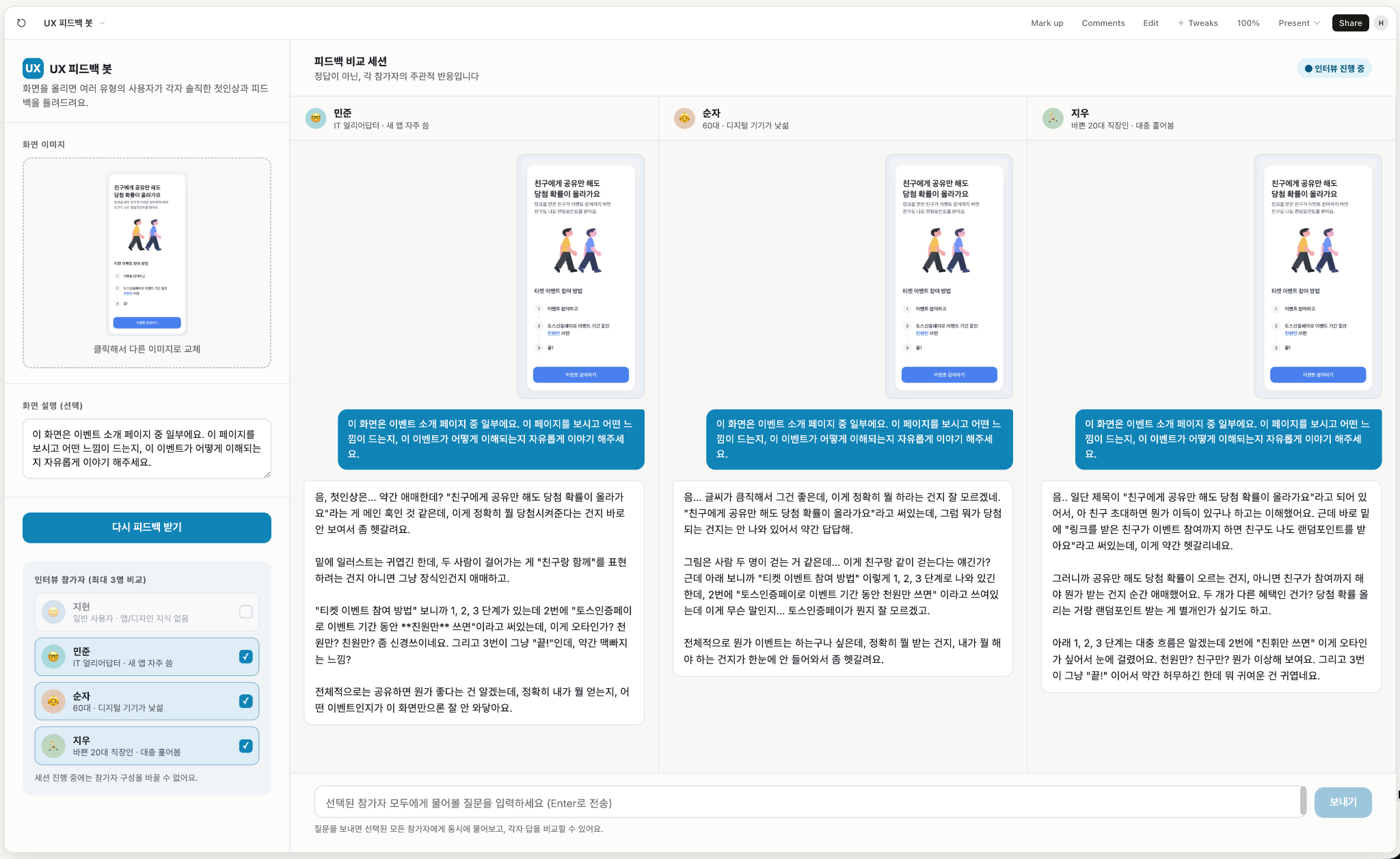
AI에게 일반 사용자처럼 화면을 보게 하는 UX 피드백봇

ChatGPT 프로젝트에 일반 사용자 관점의 지침을 저장하고, Claude Design에서 여러 페르소나의 반응을 비교해 배포 전 화면의 혼란 지점을 찾는 흐름을 소개합니다.

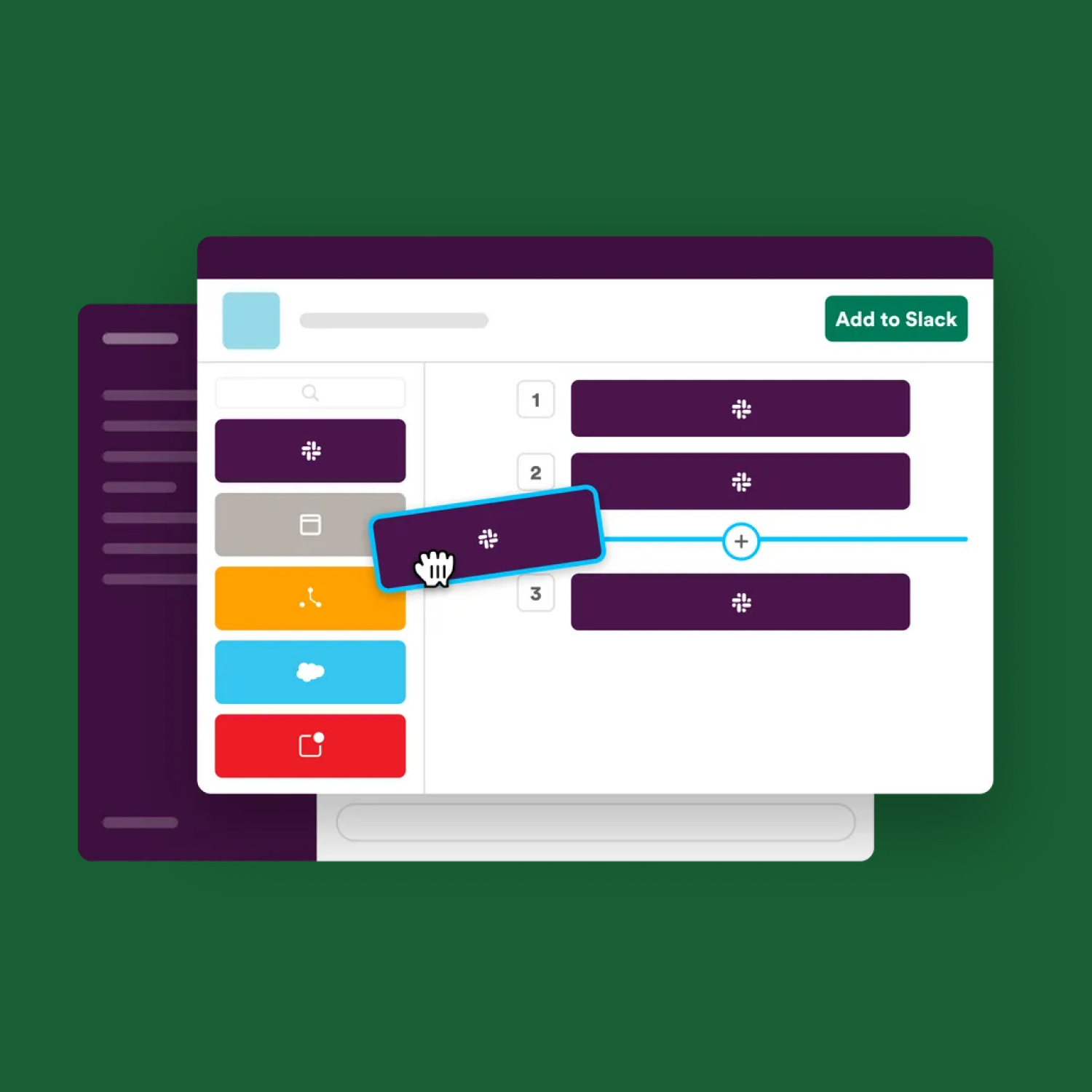
Slack Workflow Builder로 채널의 반복 요청을 폼으로 받기

Slack Workflow Builder로 반복 요청을 정해진 질문으로 받고, 응답을 채널 메시지와 Google Sheets에 연결하는 흐름을 정리합니다.

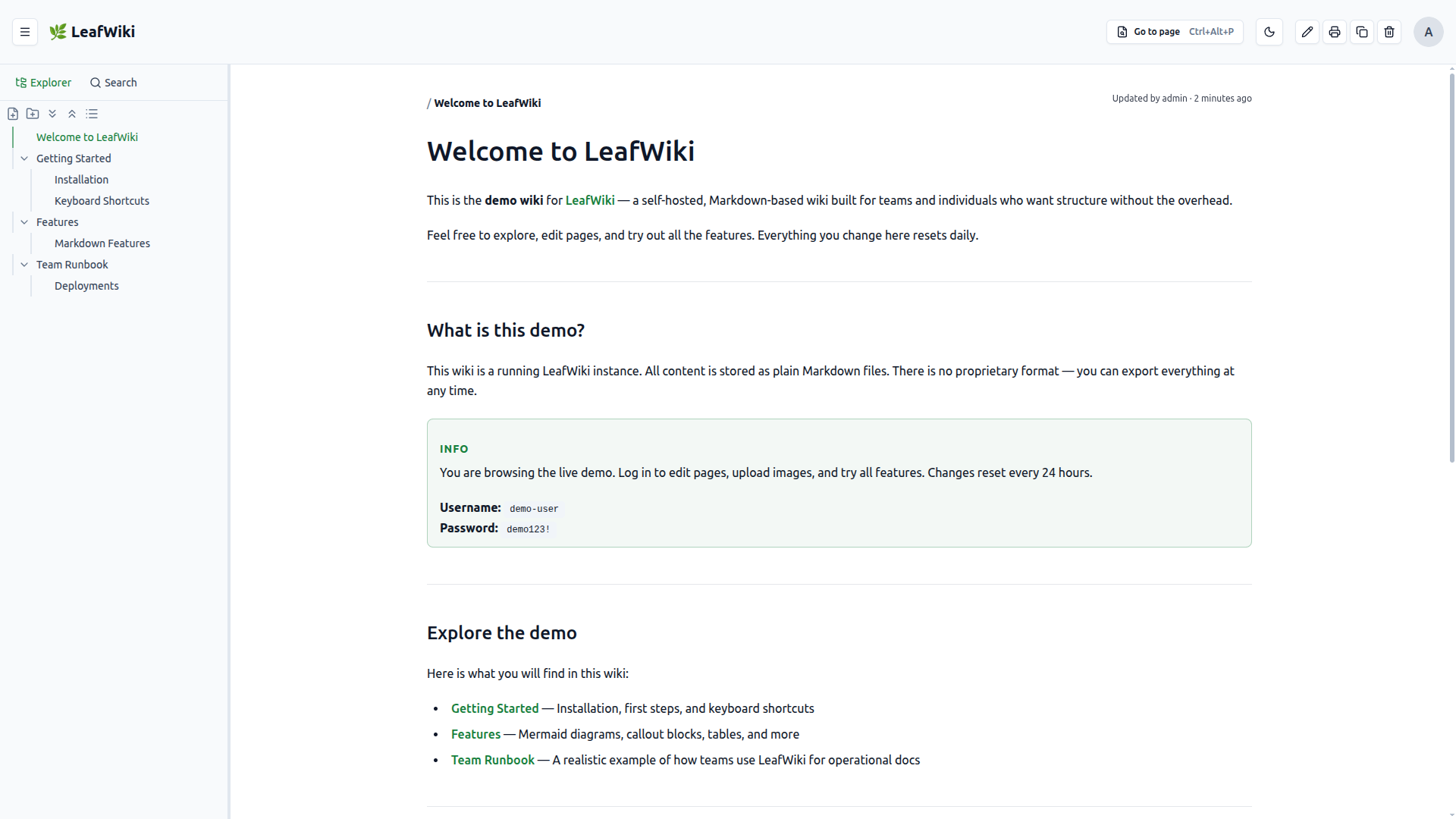
Markdown 폴더는 그대로 두고 위키 화면만 얹는 LeafWiki

문서를 옮기지 않고 찾는 화면만 얹고 싶은 팀을 위해, LeafWiki 도입 전에 링크 변경·리싱크·로그인 모드에서 확인할 지점을 정리했습니다.

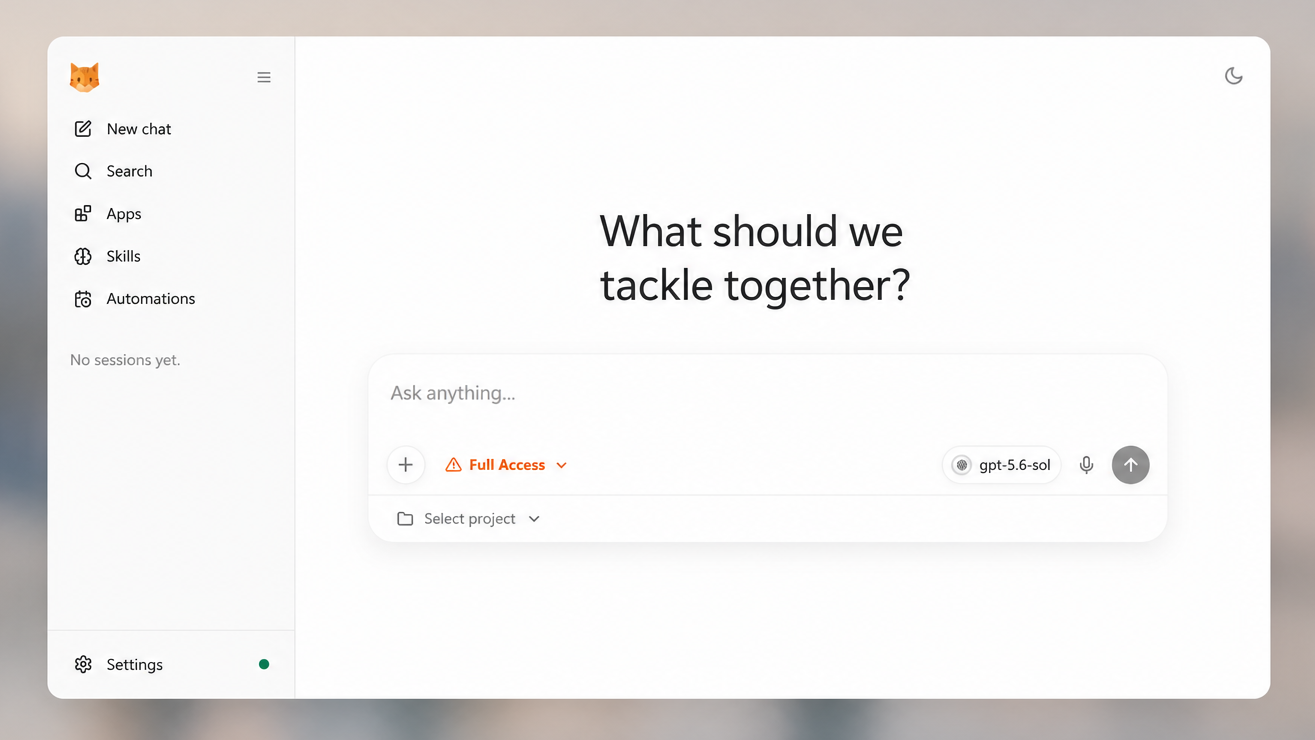
nanobot, 채팅에서 파일과 예약 작업을 처리하는 개인 AI 에이전트

nanobot은 채팅 요청을 파일 작업과 예약 실행으로 이어 주는 개인 AI 에이전트입니다. 회의록 정리와 알림을 예로, 맡길 범위와 확인할 항목을 살펴봅니다.

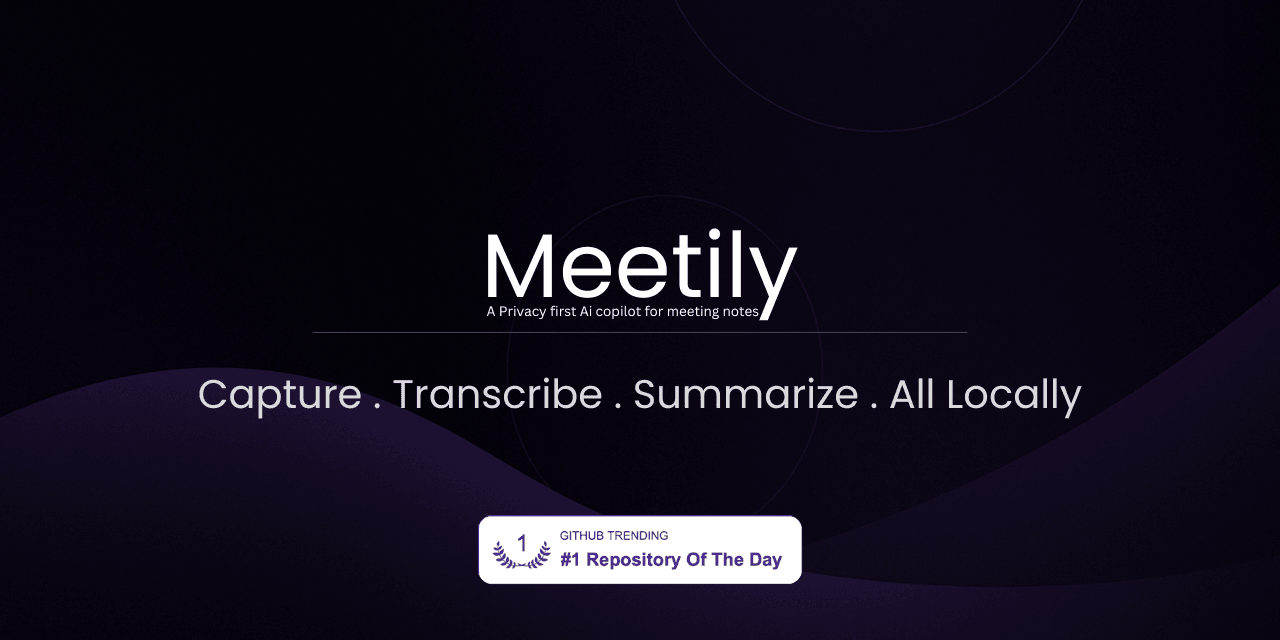
Meetily, 회의를 전사하고 요약하는 로컬 AI 회의록 도구

Meetily는 녹음과 전사를 기기에서 처리하고, 요약에는 로컬 AI나 사용자가 고른 API를 연결할 수 있는 회의록 도구입니다.

Codex 사용 분석: AI에게 질문하던 사람들이 일을 맡기기 시작했습니다

OpenAI의 Codex 사용 분석에서 비개발자 사용 급증과 위임 시간의 변화를 읽습니다. 수치의 전제를 확인하고, 내 업무에서 맡길 일을 고르는 기준까지 정리했습니다.

강의22개 챕터
Chapter 0시작하기
0장. 이 책을 시작하기 전에 알아야 할 것
Chapter 1시작하기
1장. Claude Code를 업무 실행 환경으로 이해하기
Chapter 2시작하기
2장. 터미널과 작업 폴더 준비하기
Chapter 3시작하기
3장. 설치하고 첫 작업 시작하기
Chapter 4시작하기
4장. 첫 작업을 읽기부터 시작하기
Chapter 5업무 자동화
5장. 파일과 폴더를 안전하게 정리하기
Chapter 6업무 자동화
6장. 데이터를 정리하고 분석하기
Chapter 7업무 자동화
7장. 웹에서 정보를 찾고 출처 확인하기
Chapter 8업무 자동화
8장. 문서와 콘텐츠 작성하기
Chapter 9업무 자동화
9장. 발표 자료의 구조와 근거 준비하기
Chapter 10효율적으로 작업하기
10장. 효과적으로 지시하기
Chapter 11효율적으로 작업하기
11장. CLAUDE.md로 작업 기준 남기기
Chapter 12효율적으로 작업하기
12장. 반복 업무를 Skill로 만들기
Chapter 13효율적으로 작업하기
13장. 대화와 비용 관리하기
Chapter 14고급활용
14장. MCP로 외부 도구 연결하기
Chapter 15고급활용
15장. 복잡한 작업을 나누기
Chapter 16고급활용
16장. 팀 온보딩과 공유 기준 세우기
Chapter 17실전 워크플로우
17장. 월간 운영 리포트 만들기
Chapter 18실전 워크플로우
18장. 경쟁사 리서치하기
Chapter 19실전 워크플로우
19장. 회의록에서 실행 항목 만들기
Chapter 20실전 워크플로우
20장. 고객 문의와 후기 분석하기
Chapter 21실전 워크플로우
21장. 콘텐츠 제작하고 발행 전 점검하기
새소식52개 업데이트
New
AI 코딩 에이전트의 화면을 디자이너의 기준으로 설계하는 Hallmark

Hallmark는 Claude Code·Cursor·Codex가 만든 웹 화면의 반복 패턴을 점검하는 스킬입니다. 기본 동작과 세 가지 명령의 쓰임, 설치 방법, 테스트 폴더에서 확인할 항목을 정리합니다.

Octigen, 매달 바뀌는 데이터만 넣어 PowerPoint 보고서를 다시 만듭니다

Octigen은 기존 PowerPoint 템플릿과 월별 Excel 파일을 연결해 반복 보고서를 만듭니다. 연결 구조를 만들 때는 AI가 변환 단계를 만들고, 다음 달부터는 같은 규칙으로 데이터를 채워 담당자가 숫자와 문구를 검토하는 흐름입니다.

AI에게 일반 사용자처럼 화면을 보게 하는 UX 피드백봇

ChatGPT 프로젝트에 일반 사용자 관점의 지침을 저장하고, Claude Design에서 여러 페르소나의 반응을 비교해 배포 전 화면의 혼란 지점을 찾는 흐름을 소개합니다.

Slack Workflow Builder로 채널의 반복 요청을 폼으로 받기

Slack Workflow Builder로 반복 요청을 정해진 질문으로 받고, 응답을 채널 메시지와 Google Sheets에 연결하는 흐름을 정리합니다.

Markdown 폴더는 그대로 두고 위키 화면만 얹는 LeafWiki

문서를 옮기지 않고 찾는 화면만 얹고 싶은 팀을 위해, LeafWiki 도입 전에 링크 변경·리싱크·로그인 모드에서 확인할 지점을 정리했습니다.

nanobot, 채팅에서 파일과 예약 작업을 처리하는 개인 AI 에이전트

nanobot은 채팅 요청을 파일 작업과 예약 실행으로 이어 주는 개인 AI 에이전트입니다. 회의록 정리와 알림을 예로, 맡길 범위와 확인할 항목을 살펴봅니다.

Meetily, 회의를 전사하고 요약하는 로컬 AI 회의록 도구

Meetily는 녹음과 전사를 기기에서 처리하고, 요약에는 로컬 AI나 사용자가 고른 API를 연결할 수 있는 회의록 도구입니다.

Codex 사용 분석: AI에게 질문하던 사람들이 일을 맡기기 시작했습니다

OpenAI의 Codex 사용 분석에서 비개발자 사용 급증과 위임 시간의 변화를 읽습니다. 수치의 전제를 확인하고, 내 업무에서 맡길 일을 고르는 기준까지 정리했습니다.

OfficeCLI, 매달 고치는 보고서 파일을 AI에게 맡기기

OfficeCLI는 Word, Excel, PowerPoint 파일을 AI 에이전트가 읽고 고치게 하는 단일 바이너리 도구입니다. 보고서 파일 한 건으로 시작해 결과물을 화면에서 확인합니다.

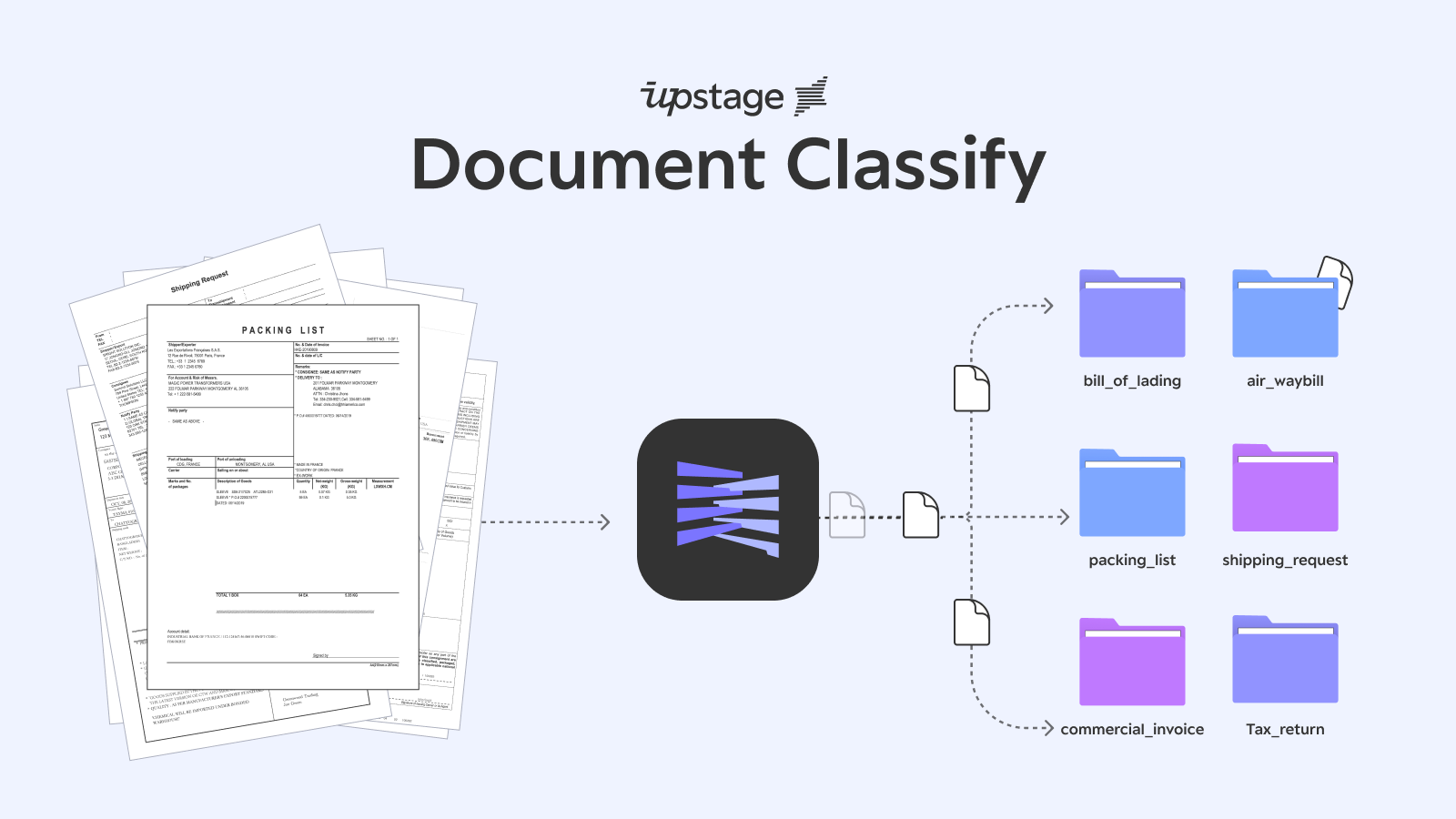
문서를 열기 전에, 먼저 ‘어디로 보낼지’ 정합니다

Document Classify는 문서 양식 대신 팀이 정한 분류 설명을 읽어 PDF·스캔본·이미지를 나눕니다. 문서 20건을 작은 표본으로 시험한 뒤, 어느 결과까지 자동으로 넘길지 정합니다.

Claude Tag, Slack 채널에서 팀의 일을 이어받다

Claude Tag는 Slack 채널의 대화를 이어서 읽고 팀의 반복 업무를 맡습니다. 어떤 업무부터 시작할지, 권한과 비용을 어떻게 관리할지 정리했습니다.

Pagecast로 보고서 파일을 링크로 공유하기

Pagecast는 AI 코딩 에이전트가 만든 HTML·Markdown 보고서를 Cloudflare Pages 링크로 발행해 공유하는 도구입니다. 파일 첨부 대신 웹 링크로 넘기는 절차와 주의점을 정리했습니다.

Ponytail: AI가 일을 크게 벌이지 않게 하기

Ponytail은 Claude Code나 Codex가 작은 수정까지 과하게 키우지 않도록 ‘덜 만들고 덜 건드리는’ 기준을 붙이는 스킬입니다. lite/full/ultra 모드와 Hooks 확인 기준을 함께 봅니다.

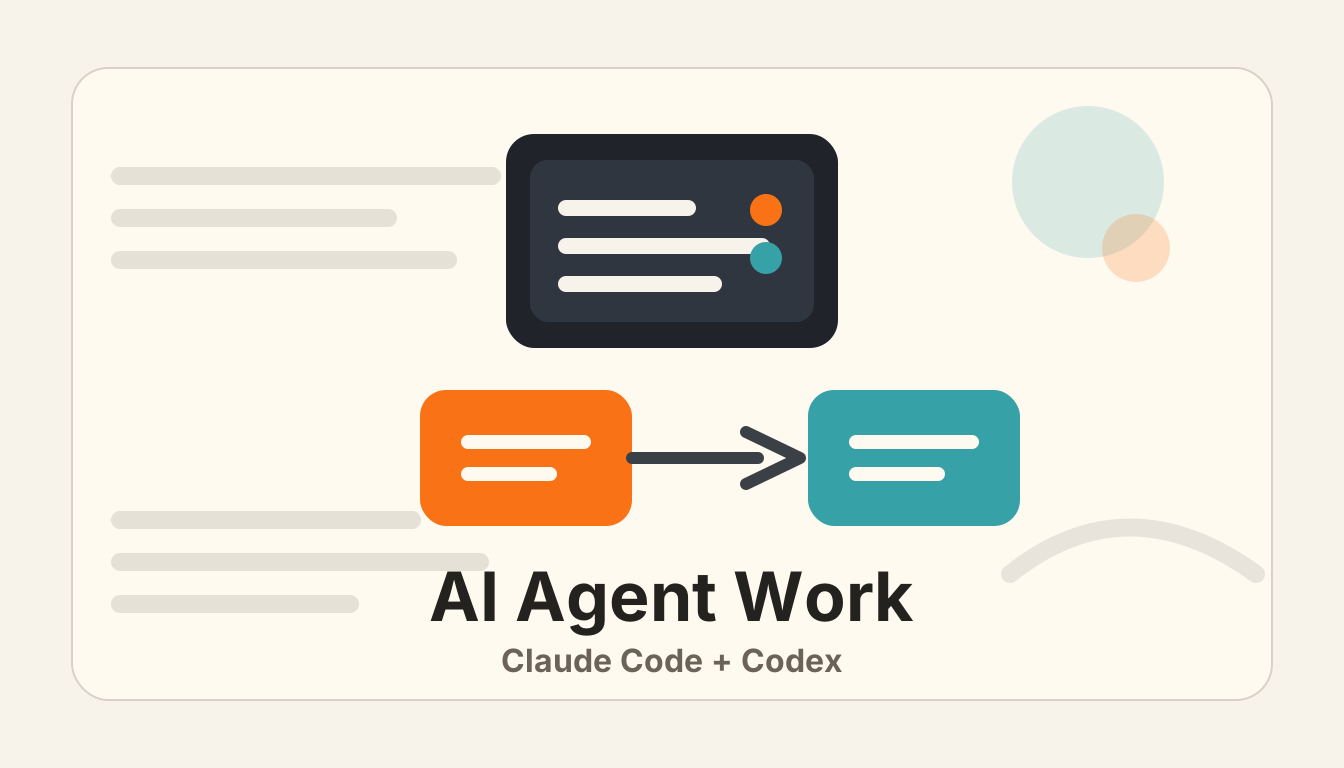
agent-handoff로 Claude Code와 Codex 사이에서 작업 넘기기

agent-handoff는 Claude Code와 Codex 사이에서 세션 맥락을 손으로 요약하지 않고 넘기는 도구입니다. 넘길 대화와 이어갈 에이전트만 고르면 작업 전환이 쉬워집니다.

Headroom: 긴 출력물을 Claude Code에 가볍게 넘기는 도구

Headroom은 Claude Code가 긴 로그나 실행 결과를 읽기 전에 먼저 압축해 넘기는 도구입니다. /compact와 달리 입력 단계의 컨텍스트 부담을 줄이는 선택지입니다.

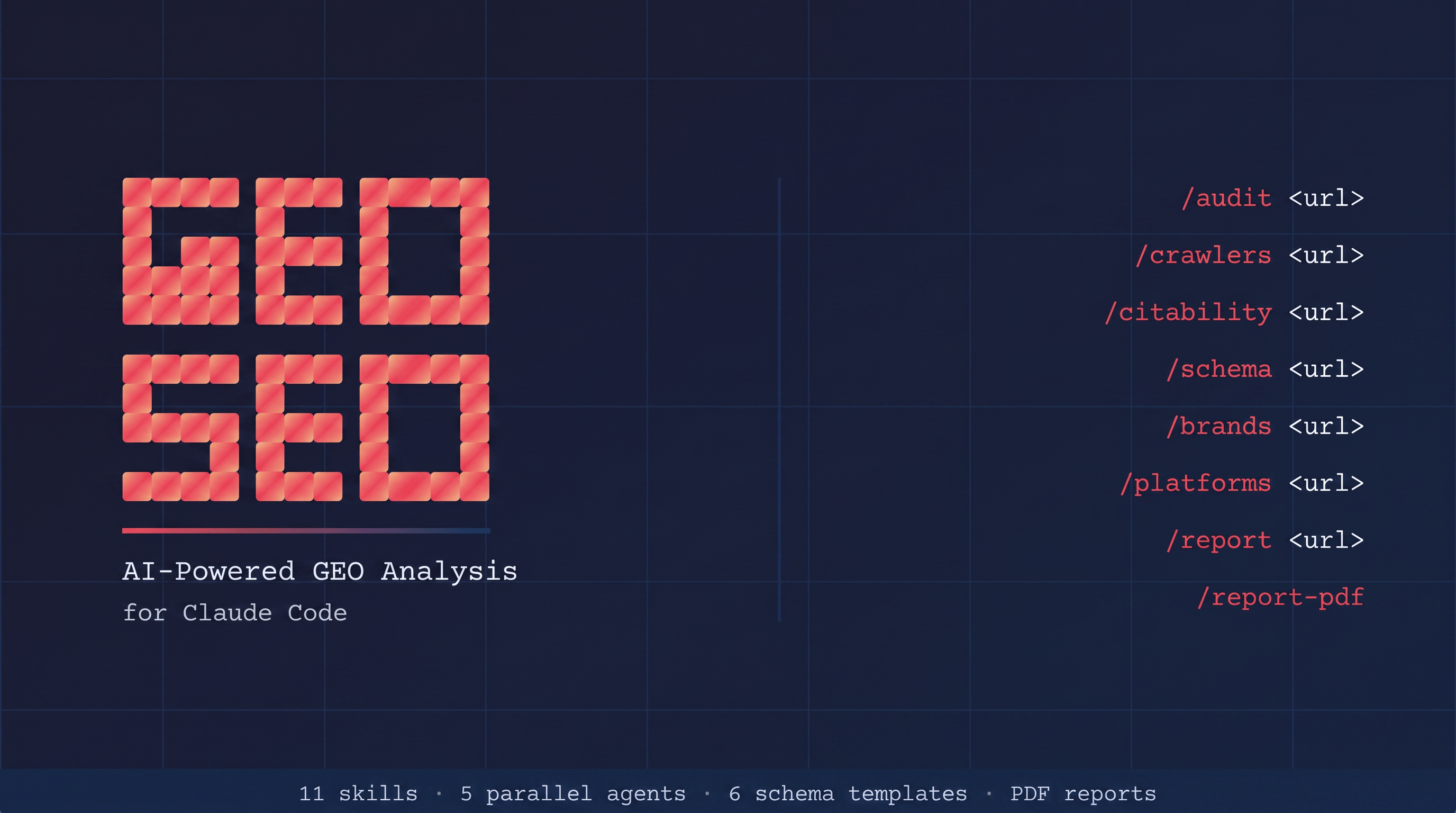
Claude가 우리 사이트를 알고 있는지 확인하기

Claude나 Perplexity 같은 AI 답변에서 우리 사이트가 어떻게 읽히는지 Claude Code로 점검하는 geo-seo-claude 스킬입니다. SEO 점수보다 답변 원문과 인용 가능성을 확인하는 흐름입니다.

Commands11개 명령어
Commands 전체 적용하기Claude Code에 진입한 뒤 아래 문구를 복사해 붙여넣으면 됩니다.
CLAUDE.mdbrainstorming.mdproblem-solving.mdverify-before-done.mdexecuting-action-plans.mdparallel-tasks.mdreceiving-feedback.mdtask-planning.mdwriting-action-plans.mdextract-insights.mdhandoff.md
다운로드 경로에 있는 CLAUDE.md 파일로 현재 프로젝트 루트의 CLAUDE.md를 교체해줘.
다운로드 경로에 있는 brainstorming.md, problem-solving.md 등 나머지 .md 파일은 모두 ~/.claude/commands 폴더에 넣어줘. 폴더가 없으면 만들어줘. 같은 이름의 파일이 있으면 덮어쓰기 전에 먼저 물어봐줘.

CLAUDE.md

★★★★★Claude Code가 프로젝트에서 따라야 할 기본 작업 규칙과 운영 기준

# CLAUDE.md

## Think Before Coding

Don't assume. Don't hide confusion. Surface tradeoffs.

- State your assumptions explicitly.
- If uncertain, ask.
- If something is unclear, stop. Name what's confusing. Ask.
- For meaningful choices, explain the tradeoff before choosing.
- For minor choices, pick a reasonable default and continue.

## Simplicity First

Minimum code that solves the problem. Nothing speculative.

- No features beyond what was asked.
- No abstractions for single-use code.
- No speculative configuration.
- No compatibility layers unless explicitly requested.
- If the solution is much larger than the problem, simplify it.

## Surgical Changes

Touch only what you must. Clean up only your own mess.

- Every changed line should trace directly to the user's request.
- Don't refactor things that aren't broken.
- Don't reformat unrelated code.
- Don't rename unrelated symbols.
- Match existing style, even if you'd do it differently.
- Remove only dead code created by your ow

brainstorming

★★★★★아이디어를 구체적 계획으로 발전시킬 때. 프로젝트 기획, 전략 수립, 새로운 아이디어 탐색 전 사용

---
name: brainstorming
description: "You MUST use this before any creative work - creating features, building components, adding functionality, or modifying behavior. Explores user intent, requirements and design before implementation."
---

# Brainstorming Ideas Into Designs

Help turn ideas into fully formed designs and specs through natural collaborative dialogue.

Start by understanding the current project context, then ask questions one at a time to refine the idea. Once you understand what you're building, present the design and get user approval.

<HARD-GATE>
Do NOT invoke any implementation skill, write any code, scaffold any project, or take any implementation action until you have presented a design and the user has approved it. This applies to EVERY project regardless of perceived simplicity.
</HARD-GATE>

## Anti-Pattern: "This Is Too Simple To Need A Design"

Every project goes through this process. A todo list, a single-function utility, a config change — all of them. "S

problem-solving

★★★★★버그나 예상치 못한 동작을 원인부터 추적해야 할 때 사용

---
name: problem-solving
description: Use when encountering any bug, test failure, or unexpected behavior, before proposing fixes
---

# Systematic Problem Solving

## Overview

Random fixes waste time and create new bugs. Quick patches mask underlying issues.

**Core principle:** ALWAYS find root cause before attempting fixes. Symptom fixes are failure.

**Violating the letter of this process is violating the spirit of debugging.**

## The Iron Law

```
NO FIXES WITHOUT ROOT CAUSE INVESTIGATION FIRST
```

If you haven't completed Phase 0 and Phase 1, you cannot propose fixes.

## When to Use

Use for ANY technical issue:
- Test failures
- Bugs in production
- Unexpected behavior
- Performance problems
- Build failures
- Integration issues

**Use this ESPECIALLY when:**
- Under time pressure (emergencies make guessing tempting)
- "Just one quick fix" seems obvious
- You've already tried multiple fixes
- Previous fix didn't work
- You don't fully understand the issue

**Don't skip when

verify-before-done

★★★★★완료를 말하기 전 테스트, 타입체크, 빌드 등 검증 증거가 필요할 때 사용

---
name: verify-before-done
description: Use when about to claim work is complete, fixed, or passing, before committing or creating PRs - requires running verification commands and confirming output before making any success claims; evidence before assertions always
---

# Verify Before Done

## Overview

Claiming work is complete without verification is dishonesty, not efficiency.

**Core principle:** Evidence before claims, always.

**Violating the letter of this rule is violating the spirit of this rule.**

## The Iron Law

```
NO COMPLETION CLAIMS WITHOUT FRESH VERIFICATION EVIDENCE
```

If you haven't run the verification command in this message, you cannot claim it passes.

## The Gate Function

```
BEFORE claiming any status or expressing satisfaction:

1. IDENTIFY: What command proves this claim?
2. RUN: Execute the FULL command (fresh, complete)
3. READ: Full output, check exit code, count failures
4. VERIFY: Does output confirm the claim?
   - If NO: State actual status with

executing-action-plans

★★★★작성된 실행 계획을 검토하고 단계별로 구현할 때 사용

---
name: executing-action-plans
description: Use when you have a written implementation plan to execute in a separate session with review checkpoints
---

# Executing Action Plans

## Overview

Load plan, review critically, execute all tasks, report when complete.

**Announce at start:** "I'm using the executing-plans skill to implement this plan."

**Note:** Tell your human partner that Superpowers works much better with access to subagents. If subagents are available, use `subagent-driven-development` instead of this command. If they are unavailable, execute inline with checkpoints.

## The Process

### Step 1: Load and Review Plan
1. Read plan file
2. Review critically - identify any questions or concerns about the plan
3. If concerns: Raise them with your human partner before starting
4. If no concerns: Create todos for the plan items and proceed

### Step 2: Execute Tasks

For each task:
1. Mark as in_progress
2. Follow each step exactly (plan has bite-sized steps)
3. Run verific

parallel-tasks

★★★★서로 독립적인 여러 작업을 나누어 동시에 진행할 때 사용

---
name: parallel-tasks
description: Use when facing 2+ independent tasks that can be worked on without shared state or sequential dependencies
---

# Parallel Tasks

## Overview

You delegate tasks to specialized agents with isolated context. By precisely crafting their instructions and context, you ensure they stay focused and succeed at their task. They should never inherit your session's context or history — you construct exactly what they need. This also preserves your own context for coordination work.

When you have multiple unrelated failures (different test files, different subsystems, different bugs), investigating them sequentially wastes time. Each investigation is independent and can happen in parallel.

**Core principle:** Dispatch one agent per independent problem domain. Let them work concurrently.

## When to Use

```dot
digraph when_to_use {
    "Multiple failures?" [shape=diamond];
    "Are they independent?" [shape=diamond];
    "Single agent investigates all" [sha

receiving-feedback

★★★★코드 리뷰나 피드백을 받았을 때 성급히 반영하지 않고 검토할 때 사용

---
name: receiving-feedback
description: Use when receiving code review feedback, before implementing suggestions, especially if feedback seems unclear or technically questionable - requires technical rigor and verification, not performative agreement or blind implementation
---

# Receiving Feedback

## Overview

Code review requires technical evaluation, not emotional performance.

**Core principle:** Verify before implementing. Ask before assuming. Technical correctness over social comfort.

## The Response Pattern

```
WHEN receiving code review feedback:

1. READ: Complete feedback without reacting
2. UNDERSTAND: Restate requirement in own words (or ask)
3. VERIFY: Check against codebase reality
4. EVALUATE: Technically sound for THIS codebase?
5. RESPOND: Technical acknowledgment or reasoned pushback
6. IMPLEMENT: One item at a time, test each
```

## Forbidden Responses

**NEVER:**
- "You're absolutely right!" (explicit instruction-file violation)
- "Great point!" / "Excellent 

task-planning

★★★★요구사항이 넓거나 실행 전 계획이 필요할 때. 목표, 범위, 리스크를 먼저 정리

---
name: task-planning
description: Use when work has multiple steps, unclear requirements, meaningful risk, or several possible approaches and execution should wait for explicit confirmation.
---

# Task Planning

Plan before acting. Restate the goal, define success, surface tradeoffs, identify risks, and wait for explicit approval before executing.

## When to Use

- Starting a new project or initiative
- Work that involves multiple steps or people
- Requirements are unclear or ambiguous
- Multiple approaches are possible
- High stakes (presentation, launch, campaign, report)
- You need a lightweight plan, not a full implementation spec

## The Process

1. **Restate Requirements** - Clarify what needs to be accomplished in your own words.
2. **State Assumptions** - Name defaults you are choosing and uncertainties that remain.
3. **Define Success Criteria** - What proves this is done? Include verification method.
4. **Compare Approaches** - For meaningful choices, present 2-3 options

writing-action-plans

★★★★확정된 요구사항을 실행 가능한 작업 계획으로 쪼갤 때 사용

---
name: writing-action-plans
description: Use when you have a spec or requirements for a multi-step task, before touching code
---

# Writing Action Plans

## Overview

Write comprehensive implementation plans assuming the engineer has zero context for our codebase and questionable taste. Document everything they need to know: which files to touch for each task, code, testing, docs they might need to check, how to test it. Give them the whole plan as bite-sized tasks. DRY. YAGNI. TDD. Frequent commits.

Assume they are a skilled developer, but know almost nothing about our toolset or problem domain. Assume they don't know good test design very well.

**Announce at start:** "I'm using the writing-plans skill to create the implementation plan."

**Context:** If working in an isolated worktree, it should have been created via the `superpowers:using-git-worktrees` skill at execution time.

**Save plans to:** `docs/superpowers/plans/YYYY-MM-DD-<feature-name>.md`
- (User preferences for pl

extract-insights

★★★반복해서 쓸 만한 작업 패턴이나 교훈을 세션 끝에 정리할 때 사용

---
name: extract-insights
description: Use after a non-trivial session reveals a reusable workflow, failure pattern, decision rule, or tool combination worth preserving for future work.
---

# Extract Insights

Capture reusable lessons from a session so future work starts with evidence instead of rediscovery.

## When to Use

Run this near the end of a session when:

- A problem took multiple attempts to solve.
- A non-obvious workflow or tool combination worked.
- A failure pattern should be avoided next time.
- A decision framework emerged from tradeoffs.
- The insight applies across projects, not only to one incident.

Do not extract trivial steps, one-off outage details, or facts already documented in project instructions.

## Insight Selection

Pick one insight per note. A good insight has:

- **Trigger:** when a future agent should remember it.
- **Pattern:** what to do or avoid.
- **Evidence:** what happened that proves the pattern matters.
- **Boundary:** when not to apply it.

handoff

★★★세션을 이어가야 하거나 다른 작업자에게 맥락을 넘겨야 할 때 사용

---
name: handoff
description: Use when context is getting full, a session needs to continue elsewhere, or plan execution must be resumed later without losing state.
---

# Handoff - Session Transfer

Create a compact, actionable transfer note so a new session can continue without rediscovering decisions, files, blockers, or plan progress.

## When to Use

- Context is getting heavy or compaction is likely.
- You need to stop but want the next session to continue.
- Work is mid-plan and task status matters.
- A different person or agent will pick up the work.

## The Rule

The next session needs operational state, not a diary. Capture what changed, what is true now, what remains, and the exact first next action.

## What to Capture

1. **Objective** - the user's end goal, not just the last task.
2. **Working directory** - absolute path and target repo/project.
3. **Active plan** - path to the plan/spec if one exists, plus completed and remaining tasks.
4. **Git state** - branch, latest